
Business communication has changed. Teams are more mobile, customers expect faster responses, and companies need phone systems that support collaboration across desk phones, mobile devices, laptops, chat, video, and customer service workflows. That is why more organizations are taking a closer look at modern business communication platforms instead of relying on disconnected tools.
If your company is evaluating options, the goal is not simply to replace a phone system. It is to choose a platform that helps your team communicate more clearly, serve customers more efficiently, and scale without unnecessary complexity.
At Document Solutions, we help businesses modernize communications with cloud-based voice and collaboration tools through our managed voice solutions and related business technology services. The right platform can create a better experience for employees and customers alike while making day-to-day management much easier.
Start With the Needs of Your Business
Before comparing providers or feature lists, define what your business actually needs from a communication platform.
- How many employees need phone and messaging access?
- Do employees work in the office, remotely, or in a hybrid setup?
- Do you need desk phones, softphones, mobile apps, or all three?
- How important are video meetings, screen sharing, and team chat?
- Do you need advanced call routing for customer service or multiple departments?
- Will the solution need to support future growth?
A smaller office may only need a reliable cloud phone system with mobile and desktop access. A larger organization or customer-facing team may benefit from a more complete unified communications setup with contact center functionality, reporting, and omnichannel support.
Look for a True Unified Communications Experience
Many businesses still juggle separate systems for calling, voicemail, messaging, meetings, and file sharing. That can slow teams down and create unnecessary friction.
A stronger option is a unified communications platform that brings core tools together in one manageable system. Elevate is a cloud-based unified communications and collaboration platform that integrates desktop phones, mobile phones, and computers into one solution designed around employee workstyles, while also supporting features such as video conferencing, screen sharing, team chat, voicemail, remote office support, and business SMS.
That kind of all-in-one structure matters because it helps employees:
- Stay connected from more places
- Move between devices more easily
- Access voicemail, chat, and calls in one environment
- Collaborate without switching between multiple disconnected tools
When evaluating platforms, prioritize simplicity. A platform should make communication easier, not introduce more systems for your team to learn.
Flexibility Matters More Than Ever
Modern workplaces need flexibility. Employees may take calls from a desk phone one moment and respond from a mobile app the next. Leaders need visibility, but they also need tools that support real-world work habits.
The Elevate platform includes desktop and mobile apps that allow users to place and receive calls, chat with colleagues, manage voicemail, see availability, share screens, and stay connected from virtually anywhere. That is an important advantage for businesses with hybrid teams, outside sales staff, remote employees, or multiple locations.
When evaluating communication platforms, look for:
- Mobile and desktop applications
- Support for remote users
- Easy call transfer between devices
- Presence indicators and availability visibility
- Video conferencing and screen sharing
- Simple deployment across office and remote environments
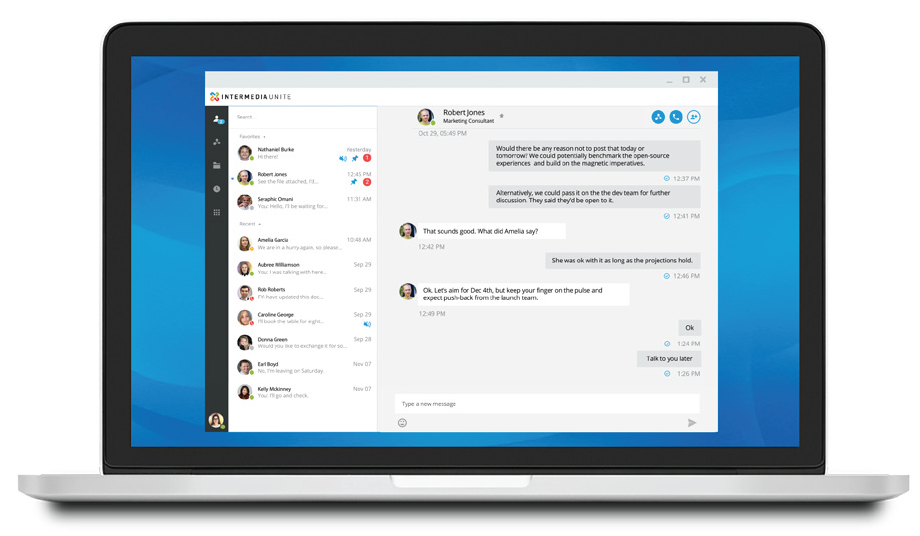
A flexible system helps your communication platform support the way people already work instead of forcing them into an outdated model.
Reliability, Management, and Scalability Should Be Built In
Communication issues affect productivity and customer experience quickly. That is why reliability should be a major part of your evaluation.
You want a platform that is easy to manage, easy to scale, and designed for business continuity. Many modern platforms include centralized management through a web-based portal, cloud-based delivery, business continuity options, and the ability to add service based on users rather than guessing at traditional line requirements.
That can be especially helpful for growing businesses. Instead of overcomplicating infrastructure, companies can scale their communication system in a more predictable and manageable way.
As you compare options, consider:
- How easy it is to add users or locations
- Whether administration is centralized
- Whether reporting is available
- How the platform supports continuity if staff are unavailable or off-site
- Whether the solution can evolve with the business
This is one reason many businesses prefer cloud communications. They want a platform that can grow with them without constant hardware headaches.
Do Not Overlook the Customer Experience Side
Internal communication is important, but many businesses also need stronger tools for customer-facing interactions. That is where contact center capabilities can make a meaningful difference.
Intermedia Contact Center supports voice, chat, and email queues in a single omnichannel experience, real-time dashboards and historical reports, customizable agent skillsets and statuses, customizable call flows, post-call surveys, CRM and workforce management integration options, and support for multi-site contact centers and remote agents.
For companies with busy front desks, service teams, support departments, or sales groups, those tools can help create a more responsive and organized customer experience.
If your team handles a high volume of calls, messages, or service requests, it is smart to evaluate whether a platform can support that next level of growth. Solutions like Intermedia Contact Center can be especially valuable when customer experience is a major priority.
Evaluate the Feature Set With Practical Priorities
It is easy to get distracted by long feature lists. Instead, focus on the features that have the clearest business impact.
Here are some of the most practical areas to review:
Core calling features
Make sure the platform includes essentials such as auto attendants, voicemail, call forwarding, transfer, hold, caller ID, hunt groups, call reporting, and business continuity support.
Collaboration tools
Look for chat, video conferencing, screen sharing, and mobile and desktop apps that support both in-office and remote work.
Customer engagement tools
If your team handles inbound inquiries, consider advanced routing, queue visibility, callbacks, real-time dashboards, monitoring, and reporting.
Integrations
The right integrations can improve adoption and reduce manual work. Some platforms integrate with widely used business tools such as Google Workspace, Microsoft applications, Salesforce, Zendesk, Slack, and other CRM or collaboration systems depending on configuration.
Ease of use
A platform should be intuitive for both users and administrators. Strong features are most useful when teams can actually adopt them confidently.
Why Businesses Work With Document Solutions
Choosing a communication platform is about more than software. It is also about implementation guidance, fit, and long-term support.
Document Solutions helps businesses evaluate communication needs and move toward cloud-based voice environments that are more modern, flexible, and manageable. Whether you are looking for a streamlined unified communications platform like Elevate or exploring more advanced customer engagement capabilities through Intermedia Contact Center, the objective is the same: help your team communicate better and support your business more effectively.

FAQ: Evaluating Business Communication Platforms
What is a business communication platform?
A business communication platform is a system that helps companies manage voice calls, messaging, collaboration, meetings, and sometimes customer service interactions in one connected environment.
What should I prioritize first when comparing platforms?
Start with business needs: team size, work style, call volume, customer service requirements, remote access, and future growth.
Is unified communications the same as a contact center?
No. Unified communications usually focuses on internal and general business communications, while a contact center is more specialized for managing customer interactions across channels and teams.
Why are cloud communication platforms popular?
They can offer easier management, better flexibility for remote and hybrid work, simpler scaling, and centralized administration.
How do I know if I need contact center functionality?
If your business manages high call volume, multiple service queues, or customer interactions across voice, chat, and email, contact center tools may be worth considering.
Ready to Evaluate Your Options?
If your current phone system feels limited, disconnected, or difficult to manage, this is a great time to explore a better fit. Document Solutions can help you evaluate business communication platforms with your real goals in mind, from mobility and collaboration to customer engagement and growth.
Explore our managed voice solutions and connect with Document Solutions to find a communication platform that supports the way your business works today and where it is headed next. Learn more by calling (888) 880-3377 or by filling out the form below!
- Categories: