Printing costs often seem predictable. Supplies are ordered when needed, devices are added over time, and everything appears to be working.
However, many offices are spending more on printing than they realize, not because of one large expense, but because small inefficiencies quietly add up across the entire organization.
The good news is that these costs are usually manageable and often easier to improve than expected.
When businesses take a closer look at how printing is handled day to day, they often uncover opportunities to reduce unnecessary spending, improve workflow, and create a more efficient environment without disrupting employees.
That is why more organizations are approaching print as a strategic part of their operations rather than just a background function.
Where Print Overspending Usually Starts
Most offices do not overspend because of one decision. It typically comes from a combination of small, untracked factors that build over time.
Common causes include:
- Too many printers spread across the office
- Desktop devices handling high-volume jobs
- Untracked toner and supply usage
- Unnecessary color printing
- Service costs from aging equipment
- Print habits that are not being measured
- Duplicate devices performing the same role
On their own, these may not stand out. But across hundreds or thousands of prints each month, even small cost differences per page can add up and impact overall operating expenses.
For growing businesses, this matters. Printing affects budgets, employee productivity, IT support time, and document workflows. Improving it creates benefits across the organization.
What Many Offices Do Not Realize
One of the biggest reasons print costs remain higher than expected is a lack of visibility.
If print activity is not being tracked, it becomes difficult to understand where costs are increasing or how to improve efficiency.
Many offices are not fully aware of:
- How much they are printing
- Which devices are being used most
- Where supply costs are highest
- How often service issues occur
- Whether devices are being used efficiently
Without that visibility, print spending becomes reactive instead of strategic.
If printing is not being measured, it is very difficult to control or improve it.
Why Decentralized Printing Gets Expensive Fast
Many offices build their print environment over time based on immediate needs. A department adds a printer for convenience. Another adds one for speed. Over time, this creates a decentralized setup.
A common scenario looks like this:
A growing office ends up with multiple desktop printers across departments. While convenient, these devices often have higher supply costs, require more frequent maintenance, and operate independently without oversight. As a result, total print spending increases without a clear understanding of why.
Smaller desktop printers typically cost more to operate per page compared to centralized multifunction systems. They also make it harder to standardize usage and control costs.
By shifting toward a more intentional setup, businesses can improve efficiency while reducing unnecessary expenses. Offices evaluating copiers and printers for office cost control and workflow efficiency often find that optimizing device placement is one of the fastest ways to improve performance.
The Hidden Cost of Unmanaged Print Habits
Overspending is not just about devices. It is also about how printing is used.
When printing is unrestricted, costs can increase without anyone noticing.
Common examples include:
- Color printing when black and white would be sufficient
- Single-sided printing for internal documents
- Duplicate print jobs from user error
- Unclaimed print jobs left at devices
- Large jobs sent to inefficient printers
These habits are common, but they are also manageable with better visibility and simple controls.
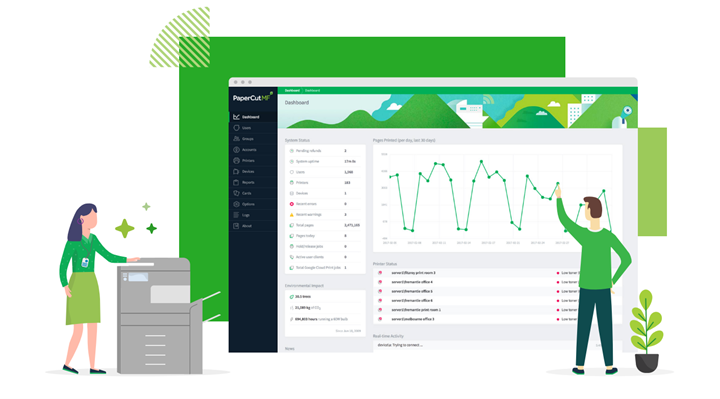
Solutions like print management software for secure print tracking and control allow businesses to understand usage patterns, encourage more efficient behavior, and support a more secure print environment without complicating the user experience.
Want a clearer picture of your print costs?
Get a print assessment and see where your office may be overspending, how your devices are being used, and where simple improvements can reduce unnecessary costs.
How Better Visibility Helps Fix the Problem
Once businesses gain visibility into their print environment, they can make more informed decisions.
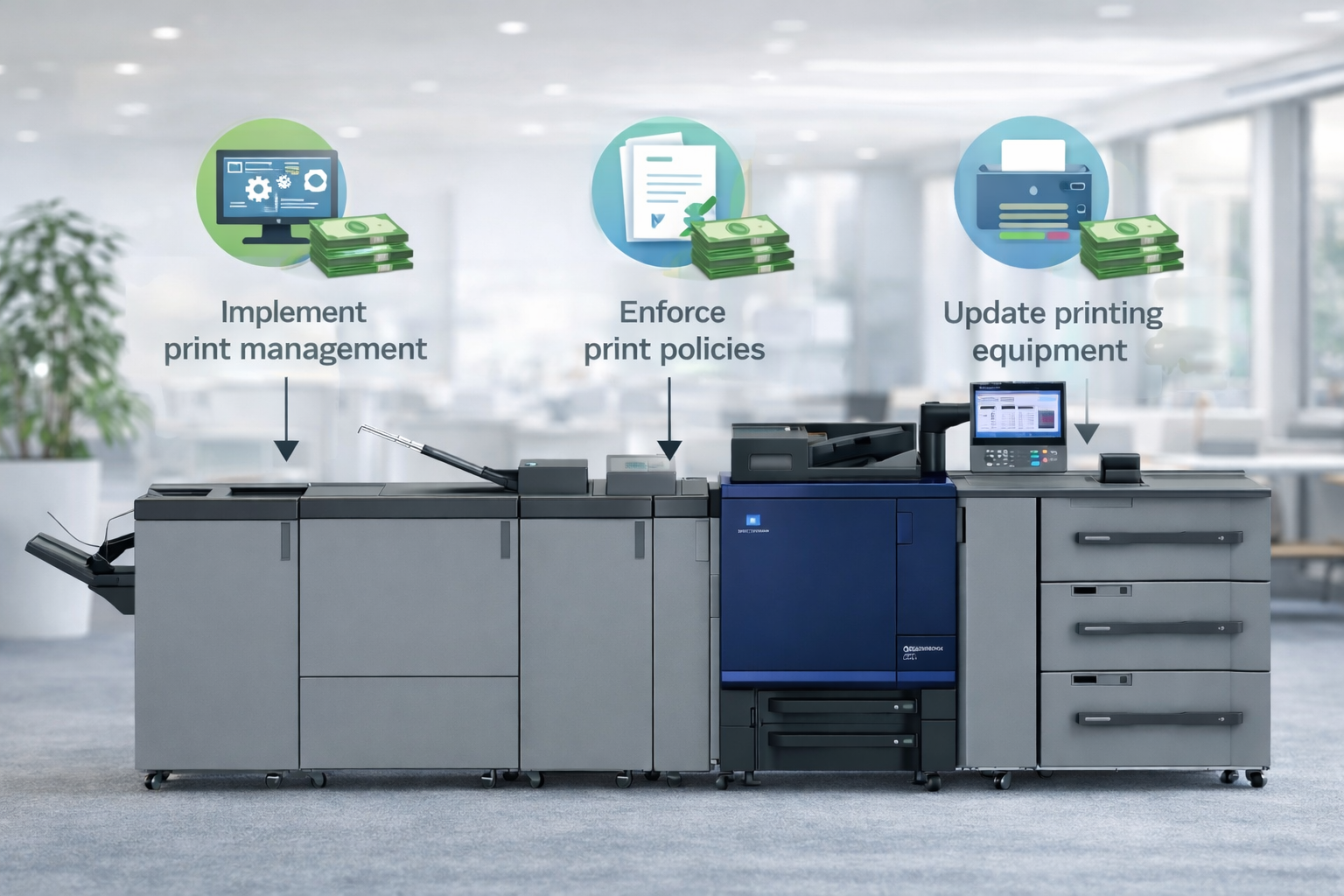
This often includes:
- Consolidating underused devices
- Standardizing equipment across departments
- Routing high-volume jobs to more efficient systems
- Monitoring toner and supply usage more effectively
- Reducing unnecessary color output
- Creating simple print policies that support efficiency
Tools like print fleet monitoring and analytics for office printers help track device performance, page volume, and supply levels. With better insight, businesses can plan more effectively and avoid unnecessary disruptions.
Print Costs Are Also a Workflow Opportunity
Improving print is not just about reducing expenses. It is also about creating a smoother workday.
When printing is optimized:
- Employees spend less time dealing with printer issues
- Devices are more reliable and easier to use
- IT teams spend less time troubleshooting
- Documents move more efficiently across departments
For many businesses, print improvements are part of a larger technology strategy. With managed IT services that support office technology performance, organizations can maintain reliable infrastructure, reduce downtime, and support better performance across all connected systems, including printing.
How to Fix Print Overspending in a Practical Way
1. Assess your current environment
Understand devices, usage, and supply spending.
2. Identify inefficiencies
Look for unnecessary devices and higher-cost workflows.
3. Standardize where possible
Consistency helps reduce complexity and cost.
4. Add visibility
Track usage to make informed decisions.
5. Improve workflows
Reduce unnecessary steps and printing.
6. Maintain and optimize
Continue monitoring and adjusting over time.
Why This Matters for Modern Offices
Printing touches multiple areas of the business, including cost control, productivity, and daily operations.
When managed properly, it becomes an opportunity to improve efficiency across the organization.
FAQ: Why Offices Overspend on Printing
Why do office printing costs increase over time?
Costs often rise due to untracked usage, too many devices, inefficient desktop printers, and unmanaged print habits.
How can businesses reduce print costs without disrupting employees?
By improving visibility, optimizing device placement, and implementing simple print policies that support efficiency.
Is print management software helpful?
Yes. It provides insight into usage, helps reduce waste, and supports more secure and controlled printing.
Can monitoring tools reduce printer issues?
Yes. Monitoring helps track performance, anticipate supply needs, and reduce unexpected downtime.
Does print strategy affect productivity?
Absolutely. A well-managed print environment supports smoother workflows and reduces interruptions.
Take the Next Step Toward Smarter Printing
Request a print assessment and get a clear understanding of your current print environment, how your devices are performing, and where practical improvements can make the biggest impact. Call us at (888) 880-3377 or fill out the form below to see how we can evaluate and optimize your print environment with our copiers and printers today!
Continue Reading
- How to Choose the Right Print Setup for a Multi-Department Office
- How Print Analytics Helps Businesses Reduce Unnecessary Printing
- PaperCut
- PrintFleet
- Categories: