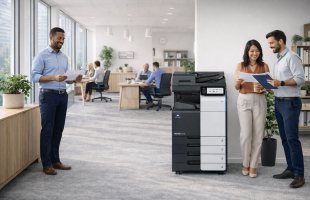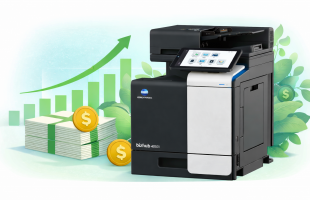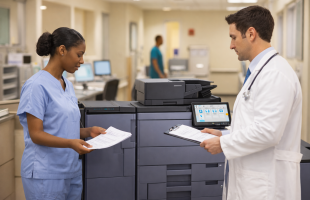
In today’s world, it’s important to print as smart as possible to support sustainability in schools and offices. Printing is an essential part of operations, but using smarter practices can help organizations reduce waste, conserve resources, and make a positive environmental impact, all while maintaining efficiency and productivity.
By focusing on eco-friendly printing, schools and offices can create a greener printing environment without disrupting their daily workflows. Smart printing practices help your organization save energy, minimize waste, and use supplies more efficiently.
The Benefits of Smart Printing
Smart printing isn’t just about being environmentally conscious; it also helps organizations operate more efficiently and cost-effectively. When printers and copiers are used strategically, businesses and schools benefit from:
- Lower energy consumption
- Less toner and ink waste
- More organized print workflows
- Fewer unnecessary supply expenses
By creating a printing environment designed to be sustainable, organizations demonstrate commitment to environmental responsibility while maintaining operational effectiveness.
Essential Eco-Friendly Printing Practices
Default to Duplex Printing
Double-sided printing is one of the easiest ways to make your print environment greener. Configuring printers and copiers to default to duplex printing helps reduce paper use without affecting workflow.
Implementation is simple: set duplex as the standard for all devices and provide guidance on when single-sided printing may be necessary, such as for forms or presentation materials.
Use Black-and-White Printing When Possible
Color printing consumes more resources and ink. By defaulting to black-and-white printing for internal documents and drafts, organizations can save supplies and minimize environmental impact. Color can be reserved for materials that truly benefit from it, such as marketing visuals, presentations, or educational graphics.
Implement Print Management Software
Print management software allows organizations to control and monitor their print environment more effectively. These solutions make it easier to ensure that every print job is necessary and processed efficiently.
Key features include:
- User authentication at printers for secure and controlled printing
- Print quotas for departments or teams to track usage
- Rules for limiting color printing or specialized paper use
- Automatic management of print jobs to prevent waste
Managed print solutions not only streamline operations but also make sustainability a natural part of your organization’s printing practices. Learn more about what Document Solutions offers and check out PrintFleet.
Optimize Printer Settings
Small adjustments to printer settings can create a greener printing workflow:
- Reduce margins to fit more content per page
- Use draft or eco mode for non-final documents to conserve toner
- Print multiple pages per sheet when appropriate for review or proofing
- Select fonts and layouts that maximize space without sacrificing readability
These minor tweaks support smarter printing while maintaining quality.
Choose Sustainable Paper
Selecting paper with recycled content or certifications can make a meaningful difference. Look for paper that includes:
- Post-consumer recycled content
- Certifications from responsible forest management organizations
- Chlorine-free or low-impact bleaching
Even when using premium recycled paper, smart printing practices help maximize its efficiency.
Invest in Energy-Efficient Equipment
Modern printers and copiers are designed to use a lot less energy than older models. Choosing ENERGY STAR-certified devices (of which many Kyocera and Konica Minolta copiers/printers are), or equipment with advanced power-saving features helps organizations reduce energy use without impacting performance.
Right-sizing your equipment is also important. By matching printer and copier capacity to actual organizational needs, offices and schools can prevent energy waste and optimize operations.
School-Specific Smart Printing Strategies
Schools have unique needs, and smart printing can make classrooms and administrative areas more sustainable:
- Centralized Printing: Instead of multiple small printers in classrooms, central copiers allow staff to manage print jobs efficiently while reducing energy and supply usage.
- Student Guidelines: Establish clear guidelines for printing to encourage mindful and responsible practices.
By integrating these strategies, schools can maintain essential printing workflows while supporting a greener environment.
Office-Specific Smart Printing Strategies
Offices can also create a more sustainable printing environment by implementing smart practices:
- Secure Print Release: Require users to authenticate at the device to release print jobs. This ensures only necessary documents are printed and eliminates abandoned jobs.
- Departmental Accountability: Track printing by department to encourage mindful resource use and operational efficiency.
- Sustainability Metrics: Track paper and energy usage as part of internal reporting to demonstrate commitment to environmentally responsible practices.
These measures allow offices to maintain productive workflows while enhancing sustainability.
Recycling and Responsible Disposal
Sustainability doesn’t end with smarter printing. Recycling and proper disposal of supplies is equally important:
- Paper Recycling: Place recycling bins near printers and copiers for convenient use.
- Toner and Ink Recycling: Most major brands offer programs to return and recycle used cartridges.
- E-Waste Disposal: Work with certified e-waste recyclers when retiring old devices to prevent environmental harm.
Recycling and proper disposal make a lasting difference in maintaining a greener print environment.
Frequently Asked Questions
Does smart printing save money?
Yes. Optimized printer settings, energy-efficient devices, and eco-friendly practices reduce supplies and energy costs while supporting sustainable workflows.
Can color printing still be used?
Absolutely. Use color strategically for materials that benefit from it. Internal documents and drafts can default to black-and-white to conserve resources.
What’s the most effective change for greener printing?
Setting double-sided printing as the default has an immediate, noticeable impact while requiring minimal adjustment from staff.
How do organizations implement smart printing successfully?
Using print management software, training staff, and selecting the right equipment ensures that printing is efficient, controlled, and sustainable.
Implement Smarter, Greener Printing with Document Solutions
To learn more about how Document Solutions helps schools and offices create print environments that are greener, smarter, and more efficient contact Document Solutions today or call us at (888) 880-3377.