Desktop and Mobile Applications
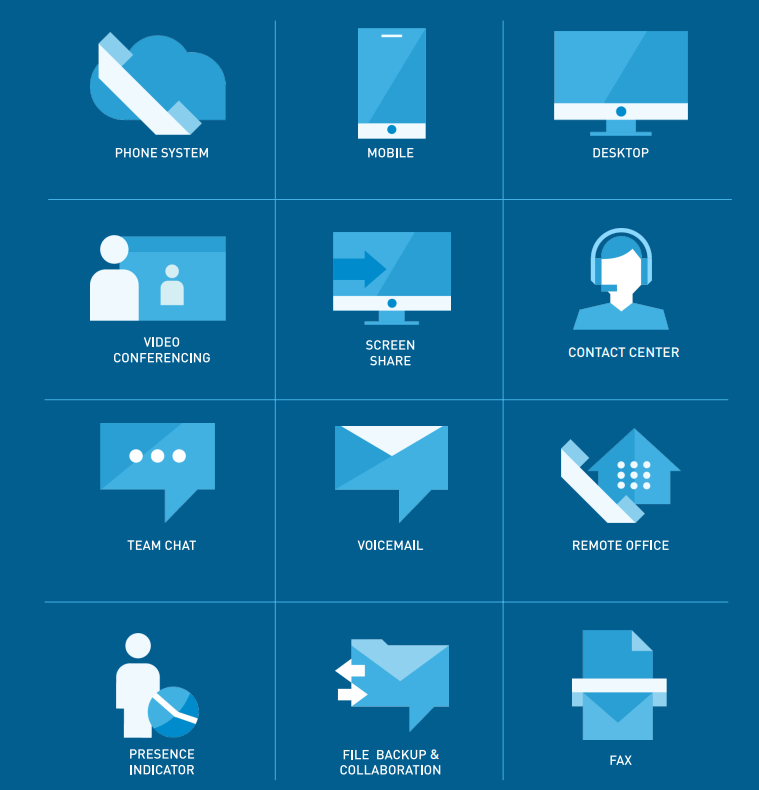
One of the most underutilized capabilities of VoIP systems is the desktop and mobile application suite. Many employees still rely solely on desk phones, unaware that the desktop and mobile apps offer a richer communication experience.
With Document Solutions’ VoIP apps, employees can:
– Make and receive calls directly from their computer or smartphone
– Access the full corporate directory
– Use call history and call controls
– Send and receive instant messages
– Access voicemail and visual voicemail
– Share files and communicate via SMS
The mobile app protects employee privacy by ensuring outbound calls display the business number, not a personal cell number. This keeps communication professional while supporting remote and hybrid work.
Video Conferencing and Screen Sharing
While many teams subscribe to third-party meeting tools, your VoIP system already includes video conferencing and screen sharing built in.
These features allow employees to:
– Start video meetings directly from their VoIP app
– Share screens for training, presentations, or troubleshooting
– Collaborate without juggling multiple communication platforms
Presence Indicators
Presence indicators help employees avoid missed calls and unnecessary back-and-forth communication. This simple feature provides real-time visibility into team availability, showing whether a colleague is available, busy, on a call, away, or in a meeting.
Receptionists, support teams, and sales teams benefit greatly because they can instantly see who is available before transferring calls.
Visual Voicemail and Voicemail-to-Email
Visual voicemail allows users to scan messages at a glance, view caller details, and prioritize callbacks without dialing into a phone menu.
Voicemail-to-email sends messages—complete with an audio attachment—directly to a user’s inbox, making remote and mobile communication easier and more efficient.
Spam Caller Protection
Spam calls waste time and disrupt workflow. Document Solutions’ VoIP platform includes spam caller protection, which automatically identifies and blocks nuisance or fraudulent calls.
This reduces unnecessary interruptions, employee frustration, and time wasted answering non-business calls.
Call Recording
Call recording is a valuable tool for training, quality control, and documentation. Document Solutions’ VoIP platform includes built-in call recording, allowing businesses to store and review important conversations.
Compliance Note: Notifying callers is considered best practice when recording calls.
File Sharing, Chat, and SMS Messaging
Document Solutions’ VoIP apps support internal chat, file sharing, and SMS messaging. These tools help employees collaborate faster and more efficiently, reducing reliance on email for simple questions or file exchanges.
Web-Based Management Portal
The administrative portal allows businesses to manage their entire phone system from a single dashboard.
Administrators can:
– Add or remove users
– Configure call forwarding and routing
– Update auto attendant greetings
– Monitor system health
– View call activity and active call status
– Receive automatic alerts
With single pane of glass VoIP and UCaaS (Unified Communications as a Service – including Elevate), a centralized interface/dashboard consolidates information from multiple sources into a unified view for users to see.
Auto Attendant
The auto attendant remains one of the most important caller experience tools. Document Solutions’ VoIP system includes a customizable auto attendant that can direct callers to the correct department, provide basic information such as business hours, reduce manual transfers, and improve overall professionalism.
Frequently Asked Questions
Will using these features make the system harder for employees?
No. These tools simplify communication. Features like presence indicators, visual voicemail, and desktop apps reduce friction and improve workflow.
How can our business activate these features?
Document Solutions can review your current setup and activate features based on your workflow needs. Most changes can be made directly through the management portal.
Maximize Your VoIP Investment with Document Solutions
Your VoIP system already includes powerful tools to improve efficiency and communication; you just need to unlock them. Document Solutions helps businesses get the most out of their VoIP platform through feature assessments, configuration, training, and ongoing support.
We also support your office with managed IT Services, copier solutions, and bottleless water coolers.
Ready to Activate the Features You’re Paying For?
Contact Document Solutions today for a VoIP feature assessment!
Call: (888) 880-3377
Learn more: https://www.dsbls.com/voip-managed-voice/