Safer Internet Day is observed each year in February and is widely used as a reminder to promote safer, more responsible use of technology. For businesses, it is a helpful moment to reinforce good digital habits, review a few core settings, and make sure your everyday tools support secure, confident work.
The best part is that improving online safety does not have to be complicated or disruptive. A few practical steps can make daily operations smoother, protect client trust, and help employees feel supported in how they use technology.
What Safer Internet Day Means for Businesses
In a workplace setting, “safer internet” usually comes down to a simple goal: helping your team use online tools in a way that protects information while keeping productivity high.
That includes:
- Using strong sign-in practices that reduce account issues
- Keeping devices updated so they run reliably
- Making file sharing and collaboration easier to manage
- Ensuring backups are in place so work stays resilient
- Encouraging employees to pause before clicking suspicious links
Safer Internet Day is not about fear or restrictions. It is about creating clear, supportive standards that make the secure way the easy way.
Why Safer Internet Day Is Important
Many teams want better security but do not always have a natural time to revisit the basics. Safer Internet Day creates a built-in opportunity to do a quick, positive check-in without turning it into a major project.
When online safety is approached proactively, it often leads to business benefits such as:
- Fewer disruptions from avoidable account or device problems
- Clearer expectations for how data is shared and stored
- A more consistent experience across offices and departments
- Greater confidence when onboarding new staff or rolling out tools
Even if your organization already has strong policies, this day can be used to refresh awareness and close small gaps that tend to build up over time.
The Most Helpful Online Safety Improvements You Can Make This Month
Below are practical areas many businesses focus on. You can treat this as a checklist for Safer Internet Day and select the items that best match your environment.
Make sign-ins easier and safer with multi-factor authentication
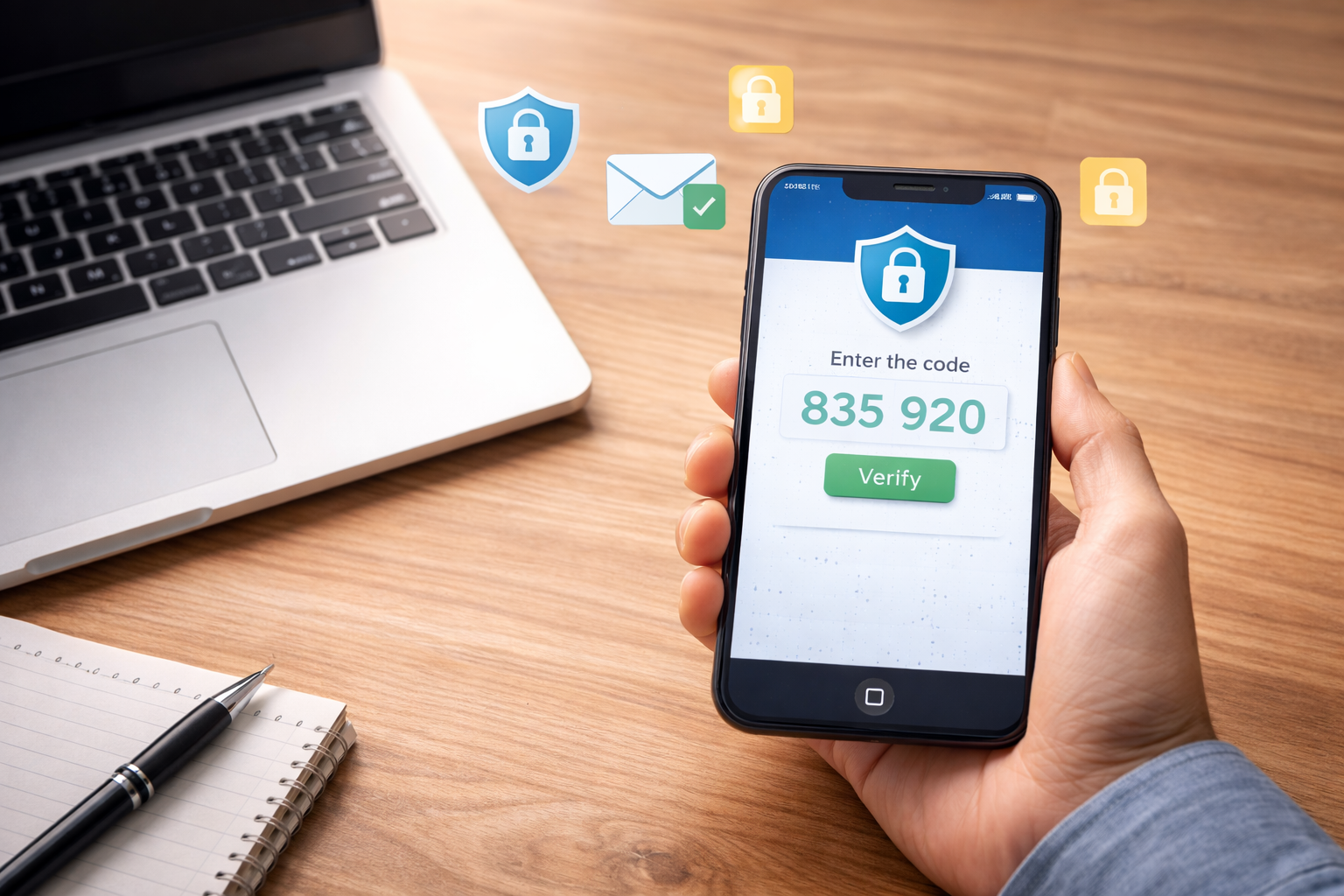
Multi-factor authentication (MFA) is one of the most effective ways to reduce unauthorized access. It adds an extra verification step beyond a password, which helps protect accounts even if a password is reused or exposed.
Positive steps to consider:
- Enable MFA for email and key cloud applications where available
- Require MFA for admin accounts and remote access
- Use modern authentication options supported by your platform
Keep devices updated to support both security and performance
Updates are not only about security. They also improve stability, fix bugs, and help software work better together. When updates are inconsistent, issues can appear in unexpected ways, including slow performance, compatibility problems, and avoidable downtime.
Healthy device habits include:
- Automatic updates where appropriate
- Central visibility into patch status
- Routine checks on laptops used offsite
- Standardized antivirus or endpoint protection
This is one of the areas where consistency matters more than complexity.
Improve email safety with simple, repeatable habits
Email remains a major tool for daily work, and it is also where many avoidable problems begin. A safer internet workplace supports employees with clear expectations.
Consider reinforcing:
- Pause before clicking links from unknown senders
- Confirm unusual payment requests or password reset requests using a second method
- Use approved file-sharing methods for sensitive documents
- Report suspicious messages quickly so the team can learn from them
A short internal reminder on Safer Internet Day can go a long way in building steady awareness.
Strengthen backups to support business continuity
Backups are a positive foundation for online safety. They support confidence and continuity because they help ensure your work is recoverable if something unexpected happens, whether that is accidental deletion, a device failure, or a broader disruption.
A strong backup approach typically includes:
- Clear backup coverage for critical systems and data
- Regular confirmation that backups are running successfully
- A plan for how recovery works if files need to be restored
If you are not sure where your current backups stand, our managed IT support can help you verify coverage and improve consistency.
Bring secure habits into document workflows and printing
Online safety also connects to how documents move through your business. Many workplaces still rely on printing, scanning, and sharing documents across departments.
Helpful improvements include:
- Encouraging secure file storage and controlled sharing
- Using authentication and access controls for systems that handle sensitive documents
- Reviewing printer and scanner workflows so documents go to the right destinations
If your organization wants to modernize document workflows as part of a safer workplace, explore Document Solutions copier and printer solutions.
A Simple Safer Internet Day Checklist You Can Share Internally
If you want a quick, low-effort way to participate in Safer Internet Day, share a short checklist with your team. Keep it supportive and easy to follow.
Here is a practical version you can use:
- Turn on MFA for email and key business tools where available
- Use strong, unique passwords for critical accounts
- Install updates when prompted and restart devices regularly
- Use approved methods for sharing sensitive files
- Double-check unexpected requests for payment, credentials, or gift cards
- Report suspicious emails instead of deleting them
- Save important work in company-approved storage locations
- Confirm your device is protected with active security software

How Managed IT Services Support a Safer Internet Workplace
Many businesses have the right intentions but limited time to maintain consistent settings across devices, users, and systems. Managed IT services help turn good goals into dependable routines.
Depending on your environment, managed support can help with:
- Monitoring device health and patching consistency
- Standardizing endpoint protection
- Improving account access practices and MFA rollout support
- Helping teams implement reliable backup routines
- Providing user-friendly guidance and support so employees stay productive
The goal is not to add complexity. The goal is to make online safety part of normal operations.
FAQs About Safer Internet Day and Business Online Safety
What is Safer Internet Day?
Safer Internet Day is observed in February and is used globally as a reminder to promote safer and more responsible use of online technology. For businesses, it is a useful time to reinforce best practices and improve daily habits that support secure work.
What is the most practical first step for a business?
For many organizations, enabling multi-factor authentication where available is the simplest, high-impact improvement. It strengthens account access without requiring a major workflow change.
Does online safety apply to printers and document workflows?
Yes. Online safety connects to how information is stored, shared, printed, and scanned. Reviewing document workflows and access controls is a practical step toward a more consistent privacy and security posture.
Strong Next Step: Turn Safer Internet Day Into a Simple Plan
Safer Internet Day is a great moment to reinforce a positive message: online safety supports smoother work, stronger trust, and better consistency.
If you want a partner to help you strengthen online safety without overwhelming your team, Document Solutions is here to help. Call (888) 880-3377 to learn how our managed IT support can help your organization stay secure, supported, and ready for what is next or fill out the form below!
- Categories: